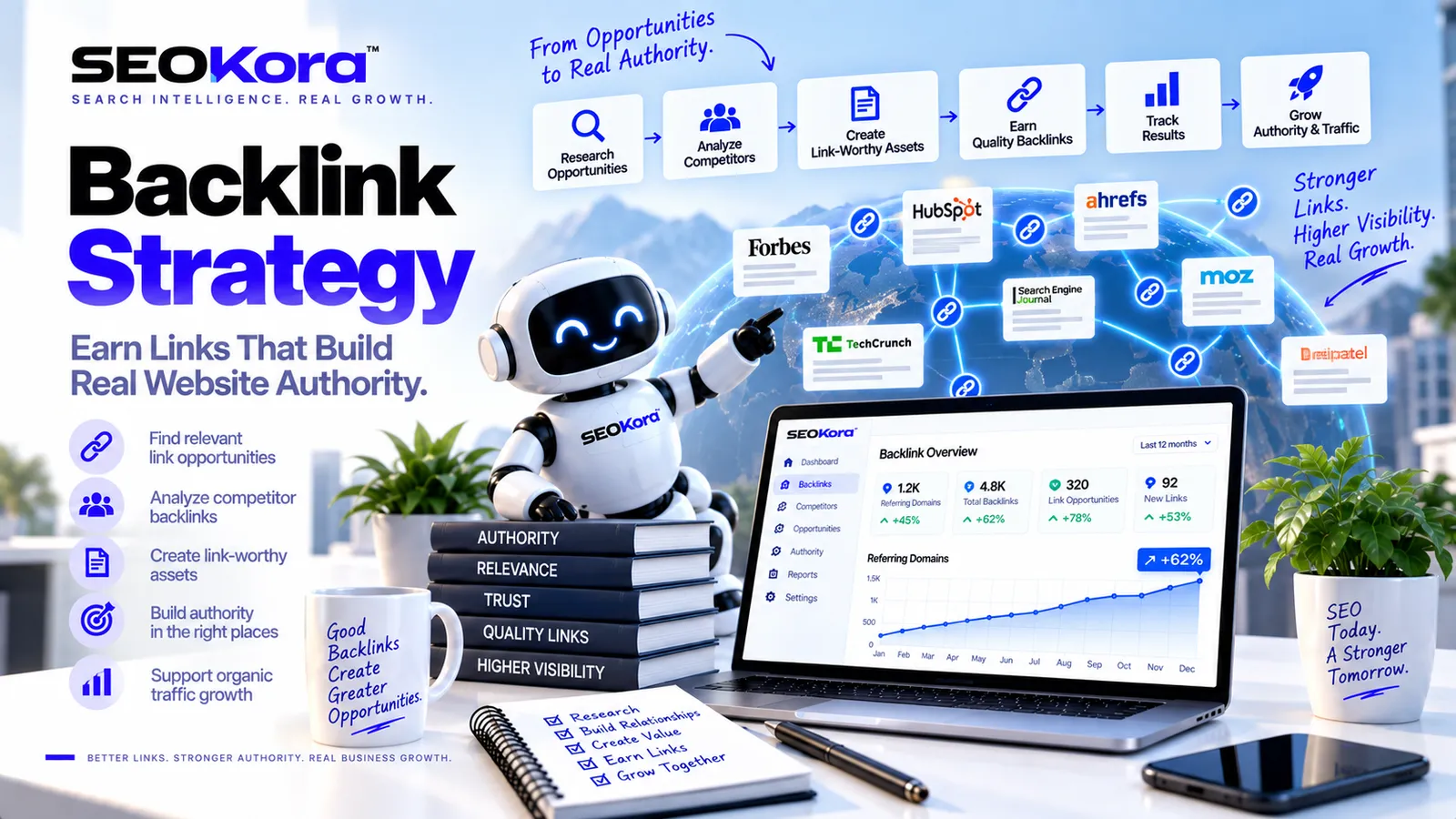
SEO Software With Backlinks: A Practical Buyer’s Guide
Learn how to evaluate SEO software with backlink analysis, monitoring, prospecting, reporting, and workflow features before choosing a platform.

Searching for SEO software with backlinks usually means looking for a platform that can help you understand, monitor, and act on backlink data. The challenge is that backlink features vary widely. One platform may focus on link discovery, while another may emphasize competitor comparisons, outreach workflows, reporting, or ongoing monitoring.
The right choice depends less on the size of a feature list and more on whether the software supports the decisions your team needs to make. This guide covers the backlink capabilities worth evaluating, the questions to ask during a trial, and the limitations to keep in mind.
What Does “SEO Software With Backlinks” Mean?
SEO software with backlink functionality is a platform that helps users review links pointing from other websites to a domain or page. Depending on the product, the software may also support link monitoring, competitor research, prospect organization, outreach management, and reporting.
It is important to distinguish between backlink analysis and backlink acquisition. Software can organize data, highlight patterns, and support a repeatable workflow. It does not automatically make another website publish a relevant link. Earning links still depends on the quality of the page, the relevance of the opportunity, editorial judgment, and the relationship between the parties involved.
Core Backlink Features to Evaluate
Feature names are not always consistent across platforms. Instead of comparing labels alone, look at what each capability allows you to do.
1. Backlink discovery
Backlink discovery identifies pages and domains that link to a website. During a product evaluation, check whether the interface makes it easy to move from a high-level summary to the individual linking page.
Useful fields may include:
- The linking page and destination page
- Anchor text
- Link attributes or classifications
- The date a link was first or most recently detected
- Whether the link appears active, new, or no longer detected
Backlink databases can differ because providers use different discovery and update processes. Treat reported totals as platform-specific observations rather than a complete inventory of every link on the web.
2. New and lost backlink monitoring
Monitoring helps a team review changes over time. A new-link view can surface recent mentions or placements, while a lost-link view can identify links that are no longer detected.
A lost-link report should be treated as a prompt for investigation, not a final diagnosis. The source page may have changed, the link may have moved, or the software may not have refreshed the page yet. Verify important changes before starting outreach or making strategic decisions.
3. Referring-domain analysis
A sitewide backlink total can be difficult to interpret on its own. Referring-domain views group links by the websites they come from, making it easier to examine where coverage is concentrated and which relationships or content types appear repeatedly.
Look for filters that help separate relevant websites from unrelated or low-value entries. A practical workflow should support page-level review rather than relying only on a proprietary score.
4. Competitor backlink comparison
Competitor comparison can reveal websites that link to other relevant domains but not to yours. This is often described as a backlink gap.
A gap is an idea source, not proof that a link is appropriate or obtainable. Review the source page, its subject, the reason it links to the other site, and whether your own page would add genuine value. Relevance and editorial fit should guide prioritization.
5. Link prospecting and qualification
Some platforms turn backlink findings into prospect lists. If this capability matters to your team, check whether prospects can be tagged, filtered, assigned, annotated, and moved through clear workflow stages.
Qualification should include manual review. Metrics and labels can help narrow a list, but they cannot fully determine whether a website is reputable, contextually relevant, or likely to consider a specific resource.
6. Outreach workflow support
Backlink software may include contact management, templates, reminders, or status tracking. These features are most useful when they improve coordination without encouraging generic mass outreach.
Evaluate whether the workflow supports personalized communication and clear recordkeeping. The software should help your team understand who was contacted, why the opportunity was relevant, and what happened next.
7. Reporting and exports
Reports should connect backlink activity with a clear business or editorial purpose. Before choosing a platform, identify who will use the report and which decisions it needs to support.
Helpful reporting options may include:
- Filters for domains, pages, dates, anchors, and link status
- Saved views for recurring reviews
- Exports for additional analysis
- Notes or annotations that explain important changes
- Scheduled summaries for stakeholders
How to Compare SEO Software With Backlink Features
A structured evaluation is more reliable than choosing a platform from a feature checklist. Use the same sample tasks with every product so that the comparison reflects your actual workflow.
Define the primary use case
Start by deciding what the software must help you accomplish. Common use cases include auditing an existing backlink profile, monitoring important pages, researching competing sites, finding relevant publishers, managing outreach, or preparing reports.
Choose a primary use case and a small number of secondary needs. This prevents a broad but rarely used feature set from outweighing the capabilities your team will use regularly.
Test data usability, not just data volume
Large-looking totals are not necessarily easier to act on. Review whether the platform helps you filter repeated entries, inspect source pages, isolate relevant results, and save a useful view.
Ask these questions during a trial:
- Can we find the links pointing to a specific page?
- Can we understand why an entry appears in a report?
- Can we verify important links outside the summary dashboard?
- Can we separate actionable opportunities from irrelevant entries?
- Can we export or share the information in a usable format?
Review update visibility
Backlink information changes as pages are published, edited, redirected, or removed. The interface should make it clear when data was detected or refreshed. Without that context, teams may react to an apparent change that has not yet been verified.
Assess workflow fit
Consider who will use the platform and how often. A specialist may need detailed filters and exports, while a stakeholder may need a concise summary. If several people participate, review assignment, notes, permissions, and handoff options.
Check pricing boundaries before committing
Do not evaluate cost from the advertised entry point alone. Determine which limits apply to projects, users, reports, tracked competitors, exports, saved prospects, or monitoring frequency. The most useful comparison is the cost of supporting your intended workflow.
A Simple Backlink Software Evaluation Scorecard
Create a scorecard based on demonstrated performance during a trial. A simple framework can include the following categories:
| Category | What to review |
|---|---|
| Discovery | Ability to find and inspect links to the domain and individual pages |
| Monitoring | Visibility into newly detected and no-longer-detected links |
| Filtering | Ability to narrow data by page, domain, anchor, date, and status |
| Competitor research | Support for comparing relevant domains and reviewing potential gaps |
| Prospecting | Tools for organizing, qualifying, tagging, and assigning opportunities |
| Reporting | Clarity of summaries, exports, saved views, and stakeholder outputs |
| Workflow fit | Ease of use for the people responsible for analysis and follow-up |
| Cost fit | Pricing and limits at the level required for the intended workflow |
Document evidence beside each score. For example, note whether a filter produced a usable prospect list or whether a report required extensive manual cleanup. This makes the final decision easier to explain.
What Backlink Software Cannot Decide for You
Backlink tools can reduce manual organization, but they do not replace editorial judgment. A platform cannot fully determine whether a link is contextually appropriate, whether a publisher is a suitable outreach target, or whether your content offers a compelling reason to link.
Be cautious about workflows built around a single authority, quality, or risk score. Proprietary metrics can support prioritization, but they should not be treated as universal facts. Review the source website, the linking page, the surrounding context, and the relevance to your audience.
Software also cannot guarantee rankings or link placements. Avoid treating a projected outcome as certain, especially when it depends on independent publishers and changing search conditions.
Building a Responsible Backlink Workflow
- Choose a clear goal. Decide whether you are auditing, monitoring, researching, prospecting, or reporting.
- Collect a focused data set. Use page, topic, competitor, and date filters to reduce unrelated entries.
- Verify important findings. Open the source page and confirm the link and its context.
- Apply editorial review. Assess whether the source and destination are genuinely relevant.
- Prioritize opportunities. Focus on situations where your content could provide clear value.
- Record actions and outcomes. Keep notes so the team can avoid duplicated work and learn from prior outreach.
- Review the process. Remove reports and tasks that do not support a useful decision.
Choosing the Right SEO Software With Backlinks
The best option is the one that makes backlink information understandable and actionable for your team. Prioritize transparent data, useful filters, verification paths, and workflows that match the way you already plan and report SEO work.
Before committing, test each shortlisted platform with the same websites, pages, and tasks. Compare the quality of the resulting decisions—not simply the number of rows, dashboards, or proprietary metrics available.
Frequently Asked Questions
What is SEO software with backlink analysis?
It is software that helps users review links pointing from other websites to a domain or page. Depending on the platform, it may also include monitoring, competitor comparison, prospecting, outreach organization, and reporting.
Can SEO software create backlinks automatically?
Software can identify possible opportunities and organize outreach, but it cannot guarantee that an independent website will publish a link. Link placement depends on relevance, editorial decisions, content quality, and the publisher’s policies.
Why do backlink totals differ between SEO tools?
Platforms may use different discovery, storage, classification, and refresh processes. As a result, each tool can show a different view of the same website’s backlink profile.
Should I choose software based on a backlink score?
A proprietary score can help with sorting and prioritization, but it should not be the only selection criterion. Review the actual source page, link context, topical relevance, workflow capabilities, and data transparency.
What should I test during a backlink software trial?
Test the tasks your team performs regularly: inspecting links to an important page, reviewing new or lost links, comparing relevant competitors, filtering prospects, verifying source pages, and exporting a stakeholder-ready report.
Continue Exploring SEO Resources
Review additional guidance and SEO intelligence in the SEOKora resource library (opens in new tab).
Frequently asked questions
It is software that helps users review links pointing from other websites to a domain or page. Depending on the platform, it may also include monitoring, competitor comparison, prospecting, outreach organization, and reporting.
Software can identify possible opportunities and organize outreach, but it cannot guarantee that an independent website will publish a link. Link placement depends on relevance, editorial decisions, content quality, and the publisher’s policies.
Platforms may use different discovery, storage, classification, and refresh processes. As a result, each tool can show a different view of the same website’s backlink profile.
A proprietary score can help with sorting and prioritization, but it should not be the only selection criterion. Review the actual source page, link context, topical relevance, workflow capabilities, and data transparency.
Test the tasks your team performs regularly: inspecting links to an important page, reviewing new or lost links, comparing relevant competitors, filtering prospects, verifying source pages, and exporting a stakeholder-ready report.