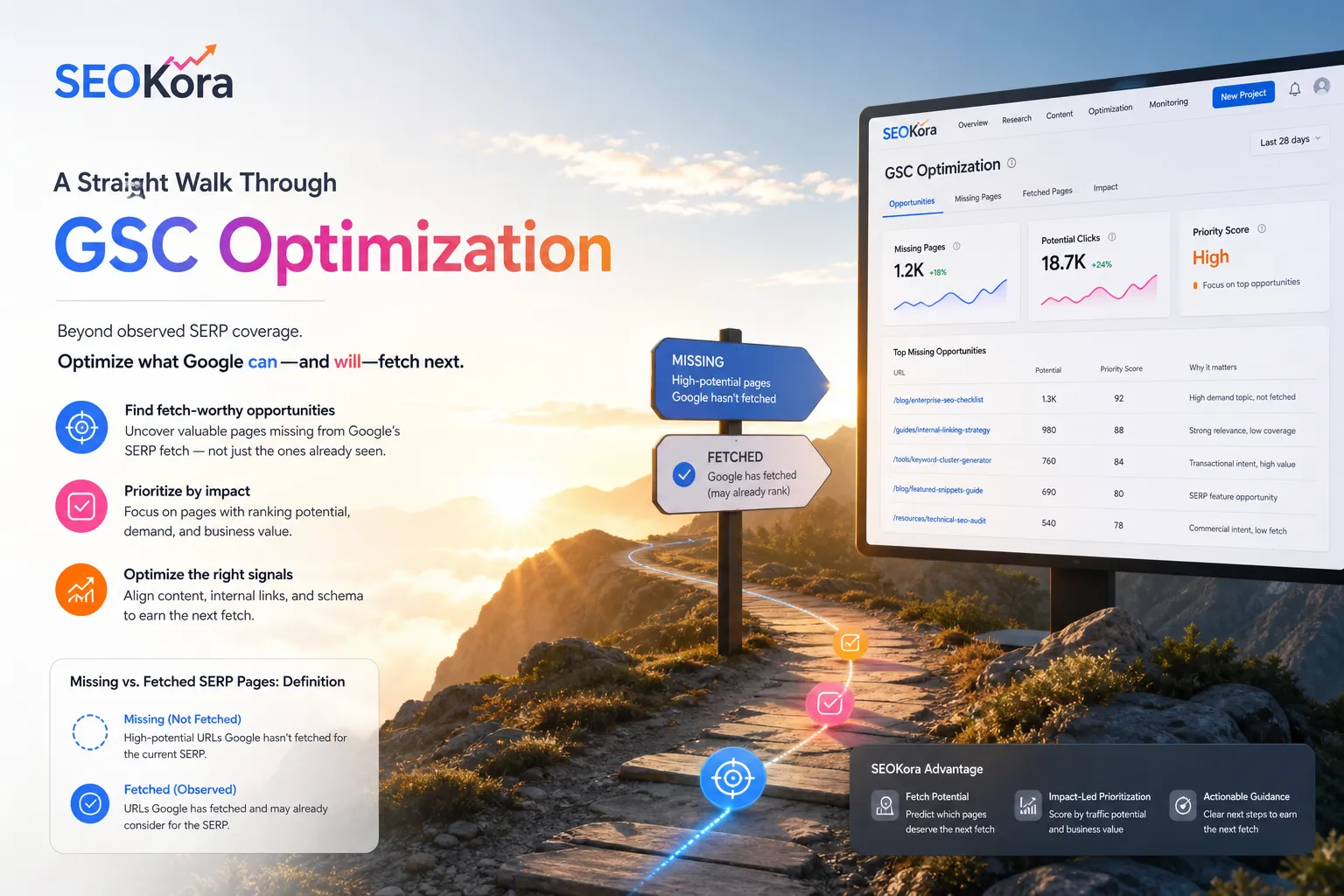
A Straight Walk Through Gsc Optimization
Learn practical gsc optimization steps for content, rankings, Search Console workflows, and organic growth decisions.
What gsc optimization means in real SEO work
GSC optimization means using Google Search Console data to decide what to improve next: which pages need clearer content, which queries deserve better coverage, which URLs have visibility but weak clicks, and which technical signals may be holding organic performance back. It is not just checking a dashboard. The useful version turns Search Console evidence into page, content, internal linking, and reporting decisions.
For businesses, agencies, SaaS teams, and content marketers, the value is practical. Search Console shows how Google is already seeing a site: queries, pages, impressions, clicks, indexing signals, and performance patterns. That makes it different from pure keyword research. Keyword tools help you estimate demand; GSC helps you work from actual visibility.
SEOKora fits this work as an SEO growth software platform built around search intelligence, ranking opportunities, competitive intelligence, authority insights, site optimization, content automation, and performance reporting. The SEOKora-native approach is to treat Search Console as a decision source, not a reporting archive. The question is not only what happened last month. It is what should change on the site because of what happened.
A useful GSC workflow usually starts with four questions:
- Which pages get impressions but not enough clicks?
- Which queries are close to ranking well enough to earn more traffic?
- Which important pages are losing visibility or drifting away from their target intent?
- Which indexing or page experience issues are blocking pages from competing at all?
SEOKora has a related resource on Search Console automation from data to SEO action (opens in new tab), which is the right framing: automation is useful when it shortens the distance between a signal and a defensible next step.
Start with Search Console signals that can change a decision
The easiest way to waste time in GSC is to inspect every chart equally. Optimization starts when you separate interesting data from decision-grade data. A spike in impressions may be useful. A page with steady impressions, declining clicks, and queries that no longer match the title is usually more actionable.
For content optimization, begin with pages that already have search exposure. These pages are often more promising than brand-new ideas because Google has already associated them with queries. Look for pages where impressions are meaningful but the click-through pattern looks weak, or where the average position sits near the edge of more visible results. Do not treat average position as a perfect ranking record; it is blended across queries, locations, devices, and dates. Still, it can help you spot pages that deserve closer inspection.
Then move from page-level data to query-level intent. A page may rank for several related queries, but those queries may not all want the same answer. If a content page gets impressions for setup, pricing, alternatives, and troubleshooting terms at once, the page may be trying to satisfy too many jobs. GSC optimization means deciding whether to sharpen the existing page, create supporting content, or adjust internal links so Google can understand the site structure more clearly.
For smaller businesses, this is where automation can help without replacing judgment. A small team may not have time to manually scan hundreds of query-page combinations every week. SEO automation can surface clusters of pages with similar symptoms: high impressions and low clicks, slipping visibility, thin coverage around recurring query themes, or pages that need internal link support. SEOKora covers this broader problem in its guide to automated SEO for small business (opens in new tab).
A practical workflow for turning GSC data into content updates
A practical GSC optimization workflow should be boring in the best sense: repeatable, specific, and easy to review. The goal is not to generate a long export. The goal is to decide which pages deserve work and what kind of work they need.
- Choose a date range that matches the decision. Use a longer range when you need stable patterns and a shorter range when you are checking a recent update, migration, or seasonal change. Avoid comparing mismatched periods and then treating the difference as a clean trend.
- Filter by page before you rewrite anything. Page-level analysis prevents query noise from driving the wrong edits. If one page gets impressions from mixed-intent searches, decide whether the page should be narrowed, expanded, or supported by separate content.
- Group queries by search intent. Do not simply sort by impressions. A high-impression query that does not match the page can pull the content in the wrong direction.
- Match the fix to the signal. Low clicks may call for a clearer title and meta description. Weak rankings for relevant queries may call for deeper content, stronger internal links, or a better answer structure. Indexing issues may require technical review before content edits matter.
- Record the decision, not just the metric. A note such as updated title to better reflect query group is more useful than a screenshot. It lets you review whether the change had a plausible effect later.
Say a SaaS feature page earns impressions for workflow automation, SEO automation, and content optimization software. If the page is written mostly as a product overview, it may not answer the informational queries well enough. The right fix may be a clearer section that explains the workflow problem, not a full rewrite. If the query set is too broad, the better decision may be a supporting article rather than stretching the product page.
Why this matters for SEO software and content optimization
GSC optimization matters because SEO software becomes more useful when it works from real search behavior. Content teams often debate what to publish next, what to update, and how much effort a page deserves. Search Console data gives those debates a firmer base because it shows where the site already has traction, where the opportunity is near, and where Google may not be interpreting a page as intended.
For content marketers, the most important shift is from content volume to content fit. Publishing more pages does not solve a mismatch between query intent and page substance.
For agencies, GSC can make recommendations easier to defend. Instead of saying a page should be improved because it feels thin, the agency can show that the page has relevant impressions, underdeveloped query coverage, and internal link opportunities. That does not prove a guaranteed outcome, but it makes the recommendation more transparent.
For SaaS teams, Search Console can also expose where product, content, and SEO language diverge. A product team may describe a feature one way, while searchers use a different phrase to describe the same problem. GSC optimization helps identify that gap. The fix is not to stuff query terms into copy. It is to write in the language of the problem while keeping the page accurate to the product.
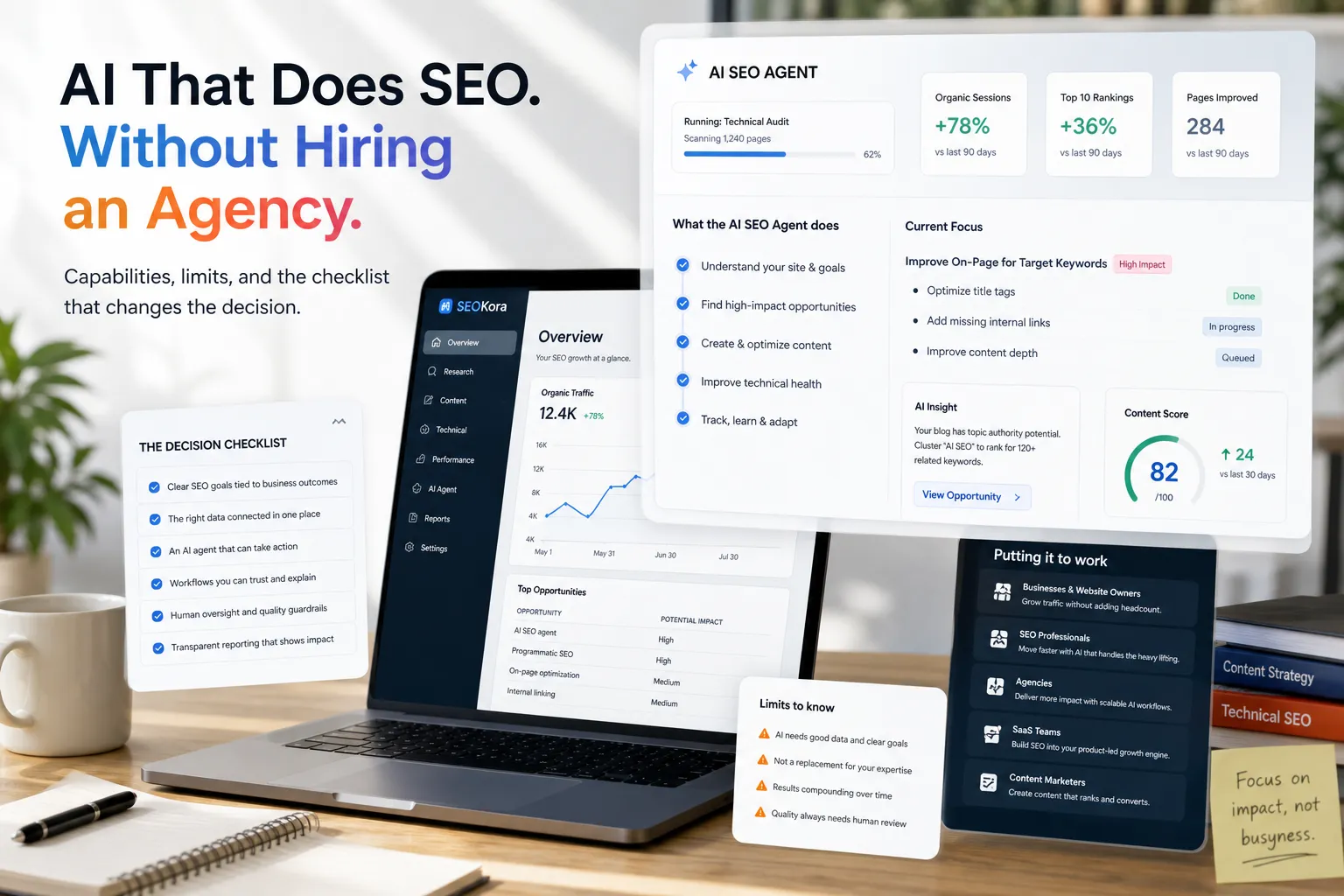
This is also where AI-assisted SEO needs boundaries. SEOKora’s guide to AI that does SEO (opens in new tab) frames automation in terms of capabilities, limits, and oversight. That distinction is important for GSC work: AI can help cluster, summarize, and prioritize signals, but the final decision still needs business context, search intent judgment, and a clear understanding of what the page is supposed to accomplish.
Practical examples of GSC optimization decisions
A page with impressions but weak clicks. A how-to article appears for several relevant queries but gets few clicks. Before rewriting the body, inspect the queries and the existing title. The page may answer the topic well but present itself poorly in search. A clearer title, a meta description aligned to the dominant query intent, and a stronger opening answer may be enough for the first test.
A page ranking for the wrong intent. A product page receives impressions for basic definition queries.
A content hub with scattered visibility. Several related articles earn impressions for overlapping terms. Instead of merging everything, inspect whether each page has a distinct job. If the pages repeat the same explanation, consolidation may help. If each page serves a different stage of intent, the issue may be internal linking and clearer hub structure. SEOKora’s resource on a supporting content map for SEO hubs (opens in new tab) is relevant when GSC shows that related pages are competing or failing to reinforce each other.
A startup site with limited history. Early-stage sites may not have enough Search Console data to make confident page-level conclusions. In that case, use GSC for indexing checks, early query discovery, and validation of whether Google is associating pages with the intended topics. Pair it with careful content planning rather than pretending sparse data can answer everything. SEOKora also has a resource on SEO software for startups (opens in new tab) for teams building that foundation.
Common mistakes that make GSC optimization less useful
The first mistake is treating GSC as a rank tracker. It is not built to provide a single clean ranking number for every keyword. Average position is useful directionally, but it can mislead if you ignore query mix, country, device, and date range. Use it to find candidates for review, not as the only reason to rewrite a page.
The second mistake is optimizing for the biggest query without checking fit. A broad query with many impressions can be tempting, but if the page cannot satisfy that intent, chasing it can weaken the page for better-matched searches. Good optimization often means saying no to irrelevant visibility.
The third mistake is rewriting too much at once. If a page has a weak title, shallow intro, poor internal links, and missing sections, changing everything in one pass may be necessary. But it also makes learning harder. When possible, make a clear set of changes tied to a specific hypothesis so the next review is meaningful.
The fourth mistake is separating GSC from content quality. Search Console can tell you where a page is visible, but it cannot decide whether the answer is genuinely helpful, accurate, or differentiated. That review still belongs to an editor, SEO specialist, or subject-aware marketer. SEOKora’s article on when AI SEO specialist advice stops matching the job (opens in new tab) is useful here because many SEO decisions fail when generic advice is applied without understanding the actual page and business context.
The fifth mistake is ignoring authority and internal context. If a page targets a competitive topic, improving headings may not be enough. The page may need stronger supporting content, better internal links, or authority signals. SEOKora discusses related constraints in its resource on AI backlink automation and real authority (opens in new tab).
What Search Console data can and cannot tell you
Search Console is essential, but it is not a complete SEO operating system by itself. It reports how a site appears and performs in Google Search, but it does not explain every cause behind a change. A drop in clicks may come from ranking movement, SERP layout changes, seasonality, content decay, tracking interpretation, or a shift in query demand. GSC helps you investigate; it does not remove the need to interpret.
It also works best when there is enough data. A small site, a new site, or a newly published page may not have sufficient impressions to justify confident conclusions. In those cases, the best use of GSC is validation: is the page indexed, is it appearing for roughly the right themes, and are any technical issues visible?
Automation has similar limits. It can make patterns easier to see and reduce manual work, but it should not publish changes blindly. Query clustering can be wrong. A suggested title can overpromise. A content brief can miss product nuance. For business-critical pages, especially SaaS product pages or agency client pages, review the recommendation before implementing it.
The safest standard is simple: let data identify the opportunity, let software organize the work, and let human judgment approve the decision. That balance is where GSC optimization becomes useful instead of noisy.
How should a business get started with GSC optimization?
Start with pages that already have impressions and business relevance. Review their top queries, click patterns, average positions, and indexing status. Then choose one practical action: improve the title and opening answer, expand missing intent coverage, add internal links, or fix an indexing issue. Avoid starting with a full-site export unless you already know how you will prioritize it.
Can AI fully replace a human SEO specialist for GSC work?
No. AI can help process Search Console data, cluster queries, identify patterns, and draft recommendations. It still needs oversight because it does not automatically know the business model, product truth, editorial standards, or which trade-offs are acceptable. The best use is assistance with analysis and workflow, not unsupervised strategy.
How is an AI SEO specialist different from a content marketer in this workflow?
An AI SEO specialist or AI-assisted SEO workflow focuses on search signals, prioritization, technical clues, and optimization recommendations. A content marketer focuses on audience understanding, messaging, clarity, and editorial quality. GSC optimization works best when those roles meet: search data identifies demand, and content judgment turns that demand into a page worth reading.
Your next move with SEOKora
If you want to make GSC optimization more useful, pick one important page and run a focused review: queries, clicks, impressions, average position, page intent, title fit, internal links, and indexing status. Write down the single strongest change you can defend from the evidence, then review the result after enough time has passed for the data to become meaningful.
For a broader view of SEOKora’s SEO strategy resources, visit the resources library (opens in new tab). If you are looking for software that connects search intelligence with ranking opportunities, competitive intelligence, site optimization, content automation, and performance reporting, you can visit SEOKora (opens in new tab) and explore how that workflow fits your organic growth work.